


Release notes
What's New
What shipped in the Quiver app and on the site, where to find it, and what we are pointed at next. Newest first.
September 2, 2026
Plan the whole week, not just the morning
Most surf apps answer one question well: what is it doing right now? We spent the summer on the next one. When is the window, how sure are we, and what would change our mind?
That meant reworking Home around what is coming instead of what already happened, rebuilding beach pages so the decision sits at the top, and opening custom spots to everyone so the forecast follows you to the breaks we do not list.
Everything below is live in the iPhone app and on quiversurf.app. Some of it is rough on purpose. If a window looks wrong or a page reads badly, tell us at quiversurf.app/support and we will fix it in the open.
Looking ahead
Best windows now reach 72 hours out
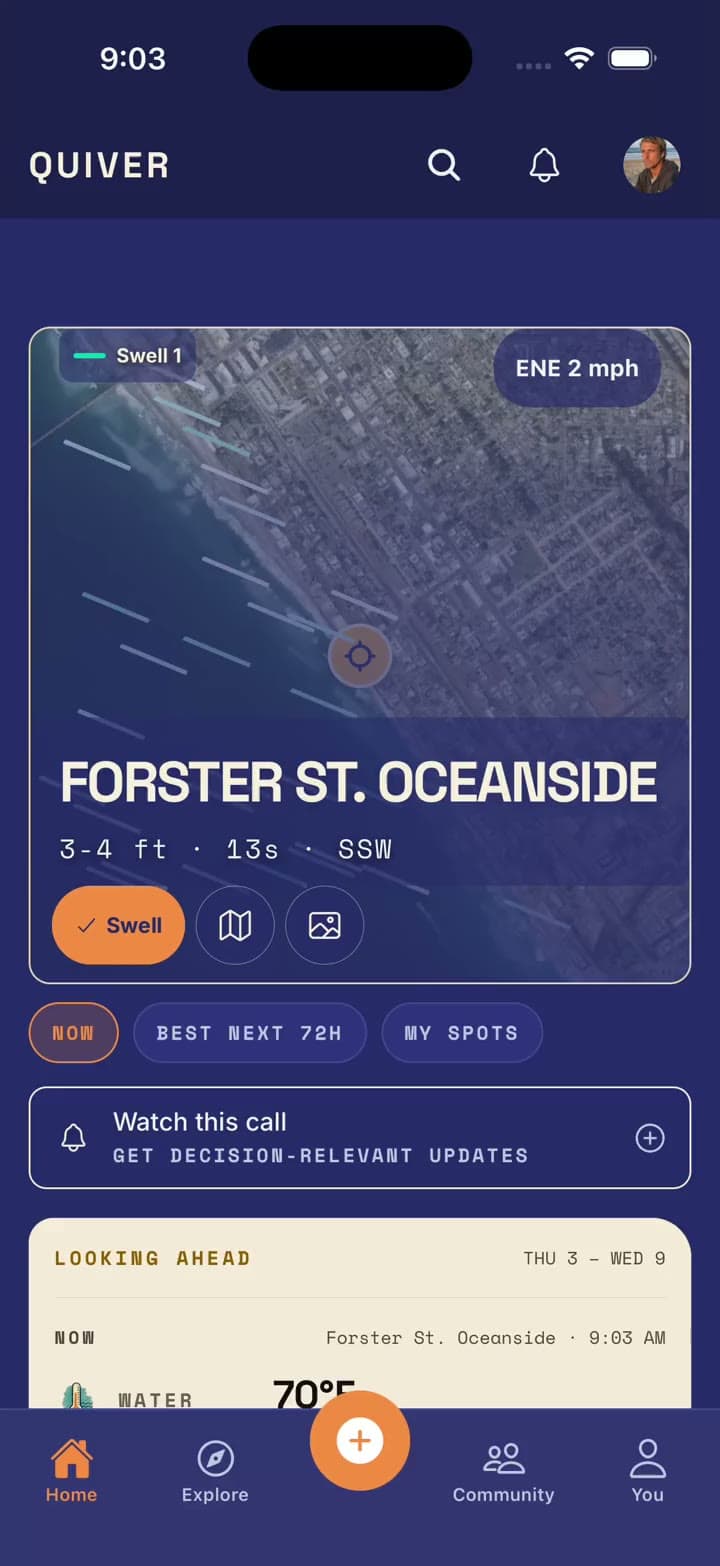
Home used to stop at today. Now it looks three days ahead and shows you the best windows across your beaches, with a plain-English line on what is driving each one: a swell filling in, wind switching, or a tide lining up.
Windows also hold still between checks. If nothing meaningful changed in the data since you last looked, the window does not move, so you can plan a dawn patrol the night before and trust it is still the same plan in the morning.
- A Looking Ahead card on Home with the next windows across your beaches
- Every row of How Today Changes names the signal behind it
- Windows stay put until the underlying data actually moves
Where to find it
- 1Open Home and scroll past today's conditions
- 2Tap a window in Looking Ahead to open it in the forecast timeline
- 3Save the beach to keep it in your windows
Live now in the iPhone app.
Beach pages
Beach pages rebuilt around the decision
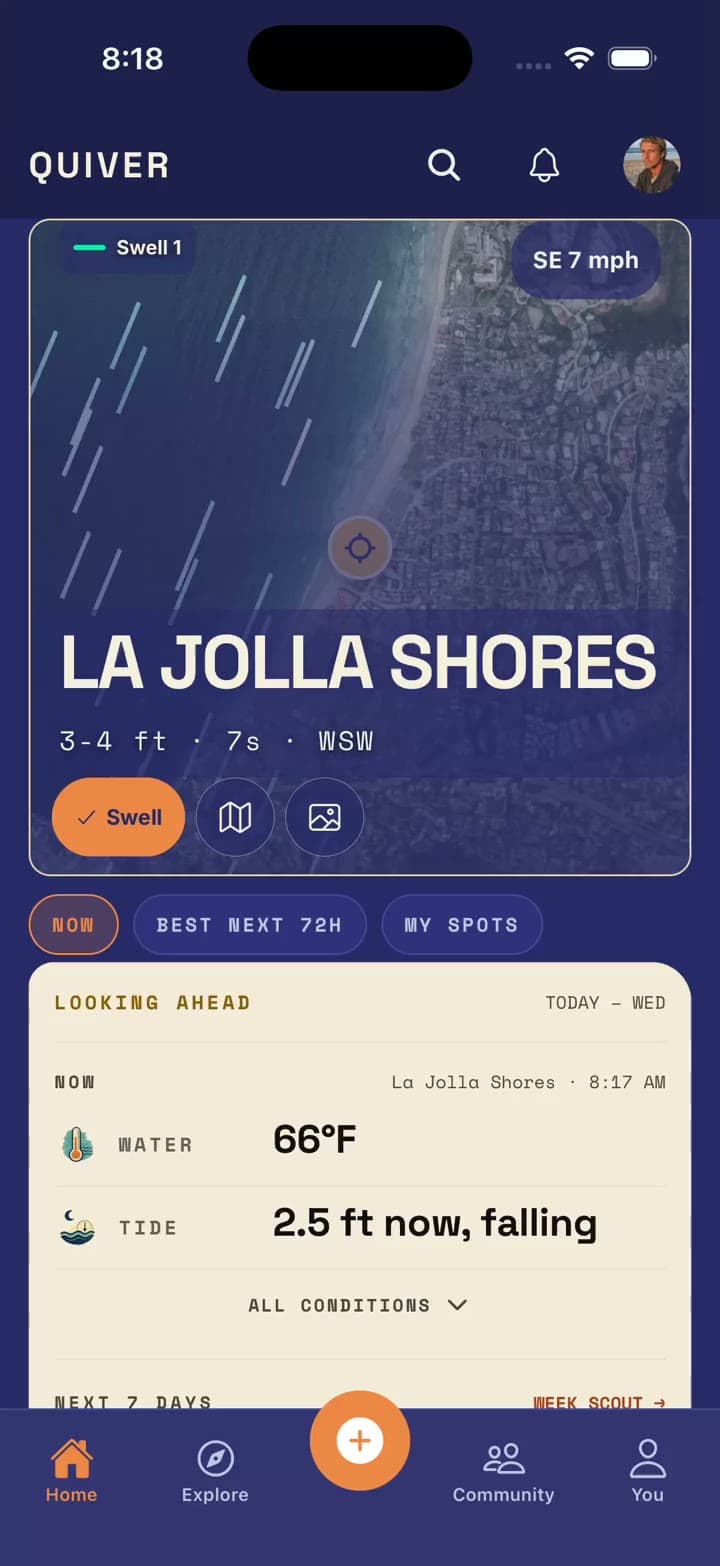
The beach screen used to be a stack of charts you scrolled through to reach a conclusion. We flipped it. The read on the day is at the top, the live cam gets real room and a full-screen mode, and the week view now lives inside the forecast timeline instead of a separate tab.
Every number in the timeline now shows where it came from: which buoy, which wind source, when it was last refreshed. If we are borrowing data from a nearby beach, the page says so.
- Live cam with a full-screen mode
- Week view folded into the timeline, with data provenance on each reading
- Open any beach or custom spot in your phone's maps app
- Add a beach photo straight from the beach screen
Live now in the iPhone app and on quiversurf.app beach pages.
Custom spots
Custom spots are free for everyone
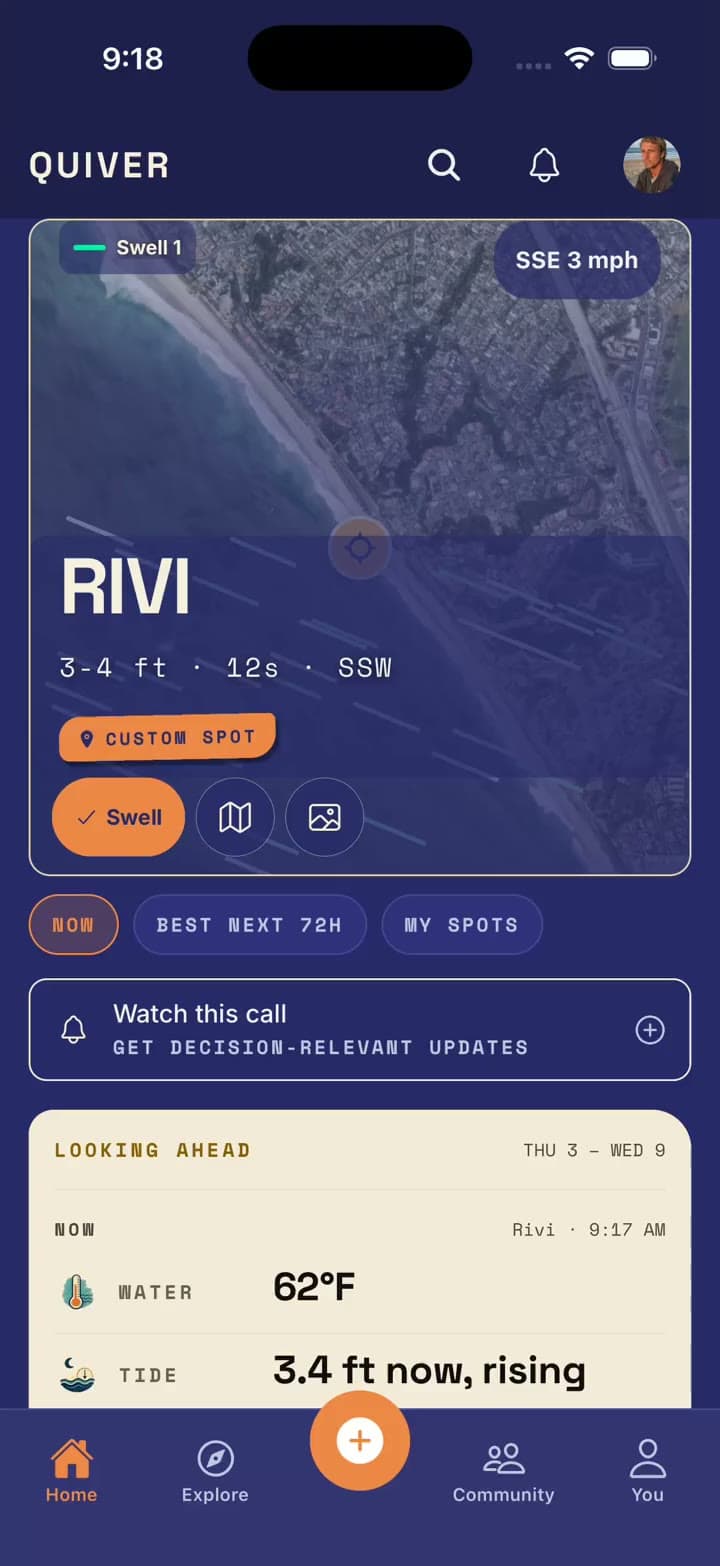
Custom spots used to count against the free favorites quota. They do not anymore. Save the reef, the wedge, or the stretch of beach nobody has named, and it gets a forecast timeline borrowed from the nearest beach we track.
When a custom spot is uncalibrated we say so on the screen, rather than dressing an estimate up as a reading. If you search Explore for a break we do not list, the empty result now walks you into creating it.
How to add one
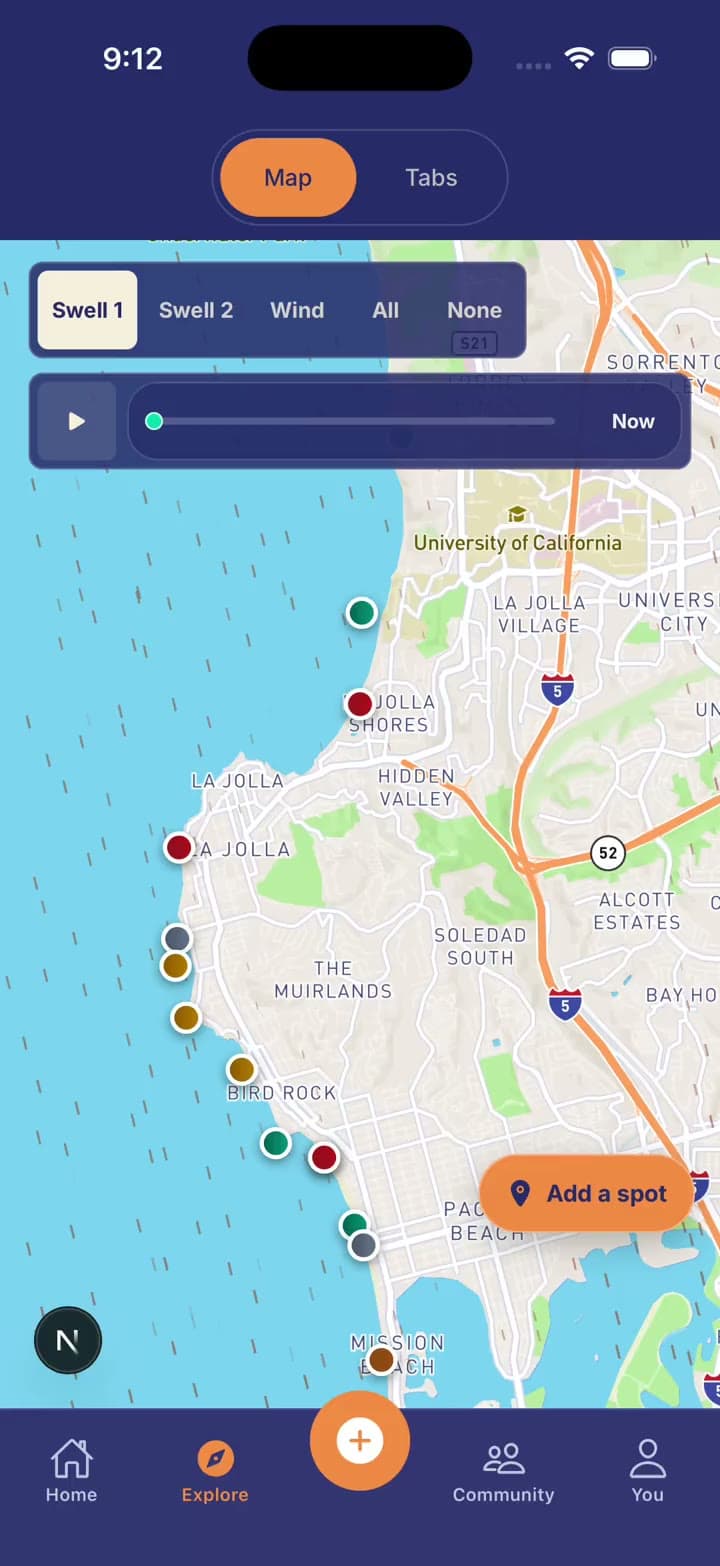
- 1Long-press the map, or tap Add Spot on Explore
- 2Drag the map to place the pin exactly where the peak is
- 3Name it and choose whether it stays private
Live now in the iPhone app, free tier included.
Alerts
Watch a window, and get alerts built around where you surf
Tap Watch on any forecast window and Quiver keeps an eye on it. If the window improves, slips, or disappears, you hear about it, and you stop hearing about it once it has passed.
Similarity alerts now start from where you last surfed instead of a fixed home beach, so a swell that lines up for the coast you are actually on is the one you get pinged about.
- One-tap Watch on forecast windows
- Similarity alert candidates built around your last location
- Every alert links straight to manage or turn off alerts
Live now in the iPhone app.
On the web
More coast, better guides, and a hourly table you can actually read
The website got the same attention. Every Learn guide was rewritten to match how people actually search for it, with a real photo on each one instead of a generated loop. City pages now carry a photo, one pin per beach, and a planning checklist you can tick through.
We also added a lot of coastline: Humboldt County, Virginia, and a Baja surf spot catalog, with the map now zooming close enough to tell neighboring peaks apart.
- Learn guides with real photography and a device-aware Get the app handoff
- A server-rendered hourly forecast table on beach pages
- Follow this beach on water temp pages, collected under My Coast
- New beaches across Humboldt, Virginia, and Baja
Live now on quiversurf.app.
Previous releases
Older notes
June 18, 2026Week Scout, water quality, and a morning emailScout the whole week across your spots, see water quality on every beach, and wake up to a daily conditions email.
June was about widening the view. One beach at a time is how most apps work; surfers plan across a handful of spots and a week of tides. This release makes that the default.
Week Scout
Scout the whole week across every spot you save
A day strip across all your spots at once, the best windows per break, confidence bands on each, and a one-tap share to send the plan to your crew.
Live now in the iPhone app.
Water quality
Water quality on every beach
Clean, advisory, or closed now shows on every beach page, fed by live San Diego County advisories and expanding from there. Beaches under a health hold drop out of rankings until they clear.
Daily email
A daily conditions email, and alerts for the windows you want
A morning email with your beaches' conditions: rip risk, rideable waves, confidence, and the day's window, quiet-hours aware. Alongside it, condition alerts let you set a rule for the setup you are waiting on and get pinged when it lines up.
- Daily conditions email for your saved beaches
- Condition alerts with skip-the-flat-days built in
- Push notifications that open straight to the right beach
Sessions
Richer session logs, with photos
Every logged session now captures wave character, an automatic tide snapshot, and rip-current notes. Add photos to a session and share them; uploads are moderated before they go public. Match scoring now reads your board as well as your skill, so a longboarder scores well on a small long-period day.
More coast
Monterey, Big Sur, Puerto Rico, and a live swell map
New breaks across the Monterey Peninsula, Big Sur, and the San Juan metro. Pro members get the animated swell-field map: watch swell move along the coast, tap clusters to zoom, and drop custom spots right on it. Early supporters can now pick up Founder Lifetime Pro, every Pro feature forever with no subscription.
May 30, 2026Surf windows, your crew, and push notificationsThe day laid out as a timeline of rideable windows, invite links that carry your crew through sign-up, and real push notifications.
May was the launch month. The pieces below turned Quiver from a forecast you check into something you check with people.
Surf windows
See the day as windows, not hours
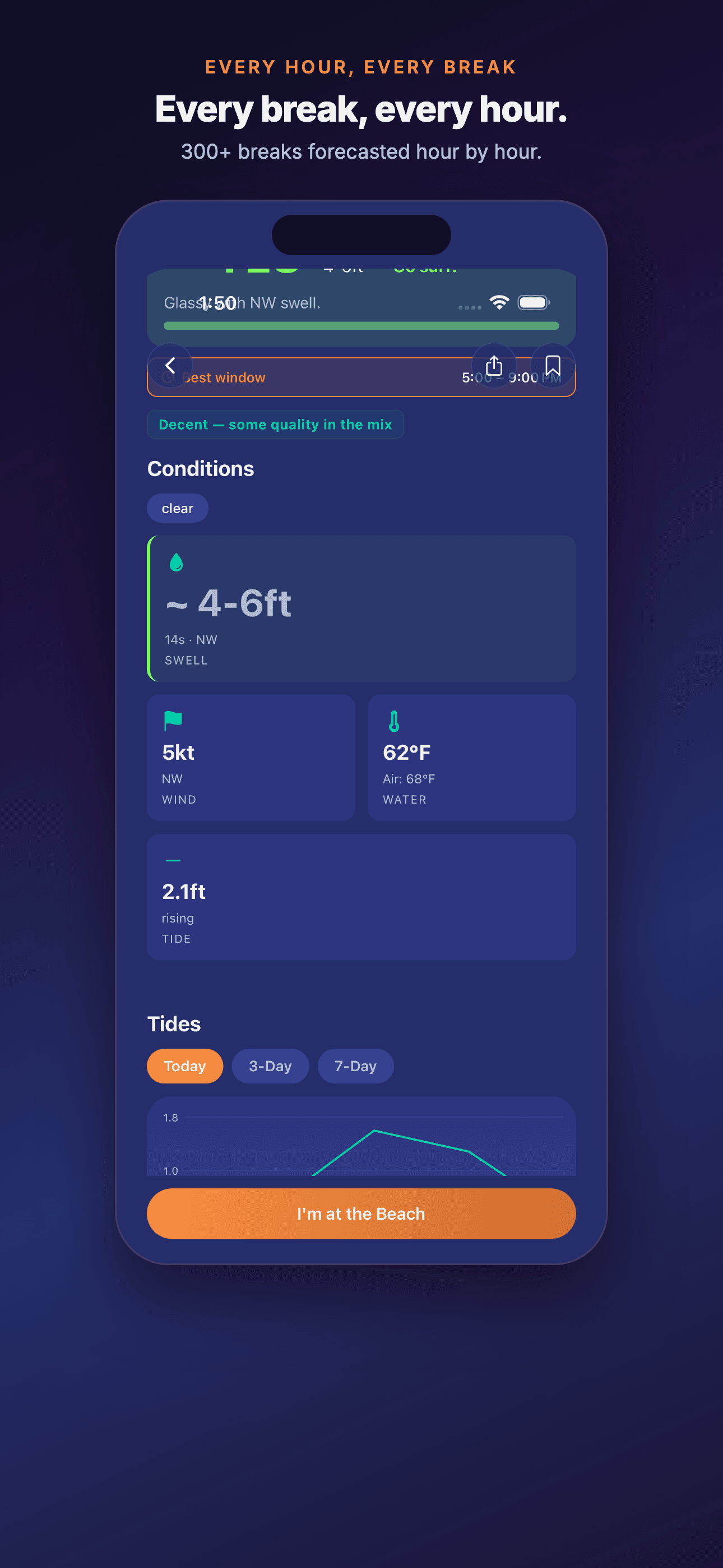
Rideable windows for the day laid out on a timeline: when it turns on, when it backs off, and how confident we are in each.
Your crew
Friends feed, invite links, and Apple Sign-In
A segmented Friends, Nearby, and Roadmap feed, invite links that carry your crew connection through sign-up, and Sign in with Apple with account linking so an existing profile carries over. Block and report are available from any profile or session.
Push
Push notifications with deep links
Follows, water-quality flags, and forecast windows now arrive as real push notifications that open straight to the right beach, profile, or alert.
April 24, 2026Custom spots and a smarter matchSave any break as a custom spot, place the pin exactly, and get a match score that knows what you avoid as well as what you like.
The first public release notes. Two things surfers asked for most: log sessions at the spots we do not list, and stop scoring a howling onshore day as a partial match.
Custom spots
Save any break as a custom spot
Long-press the map or use Add Spot to save any break, and log sessions to it. A map-center placement mode lets you drag the map to position the pin exactly, for when GPS is off or you are not at the beach.
Match score
A match score with a sweet spot and a no-go list
Match scoring now finds your preferred conditions and penalizes the ones you actively avoid, instead of averaging everything into one number. Post-signup confirmation and callback flows were also fixed so a confirmed account no longer lands logged out.